Friday, September 26, 2008

The Five-Access Point Security Plan

This post is purposely to be my references, i'm taken from http://www.enterprisenetworkingplanet.com/netsecur/article.php/752421 , Please visit the original website if you want more detail.
The Five-Access Point Security Plan
April 25, 2001
By Elizabeth M. Ferrarini

An attack on your computer network can result in denial of service from an overloaded router, corrupted data transmitted across the network, unauthorized access to PCs, or the data centers themselves.

Keeping the network safe requires that you minimize an attacker's entry to each identified access point in the network. The five access points you need to be concerned with are:
  • Physical Protection
  • User Authentication
  • Access Control
  • Encryption
  • Security Management
How thoroughly you seal up any access point depends on weighing the risks, the cost of carrying out the security measure, and the value of the lost data or security intrusion. This article provides the nuts and bolts to consider for each access point.
Physical Protection
On the front line, you can begin by protecting back door access to workstation and to media as follows:

  • Train staff to log off the network during breaks, meal times, and at the end of the work shift.
  • Provide employees with access to a secure bin for depositing unused sensitive media, such as disks, and sensitive paper files, that need to be destroyed. You might want to investigate a refuse service that specializes in destroying sensitive media. Some services will destroy your documents on-site, while other will provide a sealed bin for depositing media.
  • Use smart cards, not disks, to store digital keys.
  • Don't write down passwords and then send them via e-mail, especially if the message is going to get archived onto a server.
  • Refrain from writing personal identification codes on identification cards. Put locking devices on portable equipment, such as laptops, external disk drives and tape backup systems.
User Authentication
Proof of who you are provides the only way to distinguish authorized users from possible intruders. To this end, an authentication system can determine what information the requester can access. For example, each sales representative can access records for his or her customers, not the entire customer database.

An authentication system usually includes what the user has or possesses, such as a smart card or certification; what the users knows, such as a password; or a physical attribute, such as a fingerprint or other biometric attribute. The most common authentication systems include a password, digital certificates, and digital digest or digital signatures.

  • Passwords generated by a software agent pose the most common type of security breach, especially when they aren't carefully chosen or maintained. An intrusion detection system, on the other hand, can protect against unauthorized access to sensitive information by correlating and reporting on suspect activity, and creating complete logs of all information transactions. This type of system can link audit trails from disparate systems, such as firewalls and system event logs.
  • Digital certificates, a technology that began as privacy enhanced mail, has become an essential part of public key infrastructure or PKI, a security system consisting of protocols, services, and standards to support public key cryptography applications. Public key cryptography validates digitally signed messages, which can be a simple e-mail message or protocol to establish a secure communications session. The sender of the authenticated message signs it with a private key. The recipient validates the message using the sender's corresponding key, contained in the sender's digital certificate. The certificate can be sent with the message or obtained form a certificate repository.
  • A digital digest enables you to authenticate the digital signature and to check on the message's validity. Applying a one-way hash function to a message creates a message digest, which can't be re-created from the digest. A digital signature uses the individual's private key to encrypt the message digest. Decrypting the message occurs as follows: the receiving message text recreates the digest, the public key decrypts the digest from the digital signature. If the two messages match, the messages are probably the same.
Access Control
The first step in governing an employee's access to a specific network, workstation, or application should begin with a well-defined corporate security policy. You can use various forms of access control technology to enforce the corporate security policy.

A firewall -- a system that protects an internal trusted system from an external untrusted system -- can prevent external intruders from getting to your network. The firewall determines which inside services outsiders can access, which outsiders have access to the permitted inside services, and which outside services insiders can access. A secure firewall basically does two things: Inspects all traffic that tries to pass to and from the network, and permits only authorized traffic to pass.
Encryption
Encryption -- making data unreadable to anyone who doesn't have the key to decrypt the data -- provides a way to protect data traveling over the network from the prying eyes of eavesdroppers. You can use encryption for data traveling over any type of a network - within the corporate network, between the corporate network and customers' networks, over the Internet to carry data to a virtual private network.


An attack on your computer network can result in denial of service from an overloaded router, corrupted data transmitted across the network, unauthorized access to PCs, or the data centers themselves.

Keeping the network safe requires that you minimize an attacker's entry to each identified access point in the network. The five access points you need to be concerned with are:
  • Physical Protection
  • User Authentication
  • Access Control
  • Encryption
  • Security Management
How thoroughly you seal up any access point depends on weighing the risks, the cost of carrying out the security measure, and the value of the lost data or security intrusion. This article provides the nuts and bolts to consider for each access point.
Physical Protection
On the front line, you can begin by protecting back door access to workstation and to media as follows:

  • Train staff to log off the network during breaks, meal times, and at the end of the work shift.
  • Provide employees with access to a secure bin for depositing unused sensitive media, such as disks, and sensitive paper files, that need to be destroyed. You might want to investigate a refuse service that specializes in destroying sensitive media. Some services will destroy your documents on-site, while other will provide a sealed bin for depositing media.
  • Use smart cards, not disks, to store digital keys.
  • Don't write down passwords and then send them via e-mail, especially if the message is going to get archived onto a server.
  • Refrain from writing personal identification codes on identification cards. Put locking devices on portable equipment, such as laptops, external disk drives and tape backup systems.
User Authentication
Proof of who you are provides the only way to distinguish authorized users from possible intruders. To this end, an authentication system can determine what information the requester can access. For example, each sales representative can access records for his or her customers, not the entire customer database.

An authentication system usually includes what the user has or possesses, such as a smart card or certification; what the users knows, such as a password; or a physical attribute, such as a fingerprint or other biometric attribute. The most common authentication systems include a password, digital certificates, and digital digest or digital signatures.

  • Passwords generated by a software agent pose the most common type of security breach, especially when they aren't carefully chosen or maintained. An intrusion detection system, on the other hand, can protect against unauthorized access to sensitive information by correlating and reporting on suspect activity, and creating complete logs of all information transactions. This type of system can link audit trails from disparate systems, such as firewalls and system event logs.

Monday, September 15, 2008

Ubuntu Proxy : Error opening/creating log file. (check ownership and access rights).

Ubuntu Proxy- Dansguardian + Squid : Error opening/creating log file. (check ownership and access rights).
cd /var/log/dansguardian (if it doesn't exist, then mkdir /var/log/dansguardian then cd /var/log/dansguardian.

touch access.log (this will create the file)
chown root.root access.log (this sets owner and group)
chmod 666 access.log (this sets r/w permissions)

then run command again :
service dansguardian restart
service squid restart

A simpler way to save: the 60% solution

Taken from : MSN Money
A simpler way to save: the 60% solution
Twenty years of complicated budget calculations have led me to this one simple conclusion: By limiting all essential spending to 60% of total income, savings will soar.
By Richard Jenkins
The basics
How many of you have tried budgeting and think it's a waste of time? Come on, let's see those hands.

OK, that's just about everybody.

I've kept a budget of one kind or another, first on paper and then with the help of various software programs, for about 20 years -- despite a strong suspicion that I was wasting my time. The illusion of control, I argued to myself, was better than none at all.

My approach to budgeting was to carefully track my spending during the month and to adjust my budget targets up and down in each category, so that my total expenses never exceeded my income.

Laborious? You bet.

Useful? Sometimes.

Anal-compulsive? Probably.

After two decades of this, though, I started to wonder if there isn't an easier, more effective way to budget. I realized that the hardest part about keeping a budget is getting useful information from it. There's too much detail and not enough bottom line. My answer is "the 60% solution," a faster and easier way to structure your budget without having to account for every penny.

What you're trying to do with a budget is to prevent overspending, which ultimately leads to piling up debt. Contrary to the way most people budget, however, it rarely matters what you're overspending on -- dining out, entertainment, clothes. Who cares? It's still debt, right?

Looking at my own spending history, I realized that it wasn't the little luxuries here and there that got me in trouble. It was the large, irregular expenses, like vacations, major repairs and the holidays that did all the damage. To avoid overspending, I had to do a better job of planning for those.

And then there were the really big expenses: buying a car, putting a down payment on a new home or putting a new roof on an old home -- all of which can run into the tens of thousands of dollars. They also can often be postponed, sometimes for years, which theoretically should give me a chance to save for them.

Understand your committed expenses
As I looked back over the past 20 years of budgeting, I saw that there were a few years when my wife and I believed we were fairly on top of things, even with a much lower income than we have today. How did we manage?

The key was a drop in our fixed monthly expenses. It was a period when declining interest rates had lowered our adjustable-rate mortgage payment to about 15% of our household income. That left us with some extra money each month to set aside in a savings account for those irregular expenses.

We later moved to a bigger house with a much bigger mortgage payment, higher maintenance costs and utility bills, and obscene property taxes. The monthly mortgage payment was only 20% of our gross income, far lower than the 33% that most lenders will allow, but, suddenly, we were struggling again.

Even after refinancing our mortgage at a lower rate, we were still often running out of cash before the end of the month. I realized that other fixed expenses had crept upward over the years. As my children, Natalie, now 17, and Jackson, 14, have gotten older, they need things like music lessons and sports equipment that can add several hundred dollars a month to our basic expenses. They're also outgrowing clothes faster than we can buy them.

The slow but steady growth in our monthly spending commitments was putting a squeeze on our budget. I call these "committed" expenses rather than "fixed" or "non-discretionary" expenses, because things like music lessons are neither fixed in amount nor absolute necessities, but rather are commitments my wife and I have made to provide for our children.

The 60% solution emerges
After analyzing our spending patterns over the past couple of years using our Microsoft Money data file, I determined that we needed to keep our committed expenses at or below 60% of our gross income to come out ahead at the end of the month.

Committed expenses:

  • Basic food and clothing needs.
  • Essential household expenses.
  • Insurance premiums.
  • Charitable contributions.
  • All of our bills -- even such non-essentials as our satellite TV service.
  • ALL of our taxes.


  • I'm not saying that 60% is a magic number. It's a workable goal for my family, and it's a nice round number. But your number might well be a bit higher or lower. At any rate, it's a good place to start.

    Then I divided up the remaining 40% into four chunks of 10% each, listed here in order of priority:

    Retirement savings: consisting entirely of my 401(k) contribution, which is subtracted automatically from my paycheck.

    Long-term savings: also automatically deducted from my pay to buy Microsoft stock at a discount as part of an unusual stock-purchase program. The relative lack of liquidity (i.e. the difficulty of turning these shares into cash) makes it harder to spend this money without some planning and a series of deliberate steps. In a real emergency, though, I could sell and have the cash wired into my bank account within three days, so this is also our emergency fund.

    Short-term savings for irregular expenses: which are direct-deposited from my paycheck into a credit union savings account. Money in this account can be easily transferred into our checking account, as needed, via the Web. Over the course of a year, I expect to use all of this money to pay for vacations, repairs, new appliances, holiday gifts and other irregular but more or less predictable expenses.

    Fun money: which we can spend on anything we like during the month, so long as the total doesn't exceed 10% of my income.

    You may have noticed that only 70% of my paycheck is used for everyday expenses. Since we never see the other 30%, my wife and I generally don't miss it.

    We don't really need to track our expenses, because our checking account balance is generally equal to the amount of money we can spend. That's the way a lot of people do it, but they don't first make provision for savings.

    The key is keeping a lid on those committed expenses. You can categorize them if you want, but it isn't really necessary. In fact, you could make a budget with just three categories: committed expenses, fun money and irregular expenses, and that's just what I've done with the budget in Money 2005 (see chart below). (I can't really give up my anal-compulsive ways completely, so I've also created a set of subcategories to track the committed expenses, partly because that also allows me to export parts of my spending data to a tax program at the end of the year.)

    Now, at this point you may be saying, "Well, la-dee-dah for you, but there's no way I can get my committed expenses down to 60% of my income."

    How to get your spending down
    For a lot of people, part of the difficulty in reducing committed expenses comes from the need to make big monthly credit card payments. If you're carrying a substantial amount of non-mortgage debt, I'd suggest using the 20% that would otherwise go to retirement and long-term saving to aggressively pay down your debt -- but only after you cut up those cards.

    Every dollar in interest that you don't pay is just like getting a guaranteed, risk- and tax-free return on your money equal to the interest rate on the debt. When your debts are paid off -- and it won't take long using 20% of your gross income -- immediately redirect that money into savings.

    Now, let's take the really hard case: Even excluding debt payments, reducing your committed expenses to 60% still seems like an impossible goal. If that describes your situation, the odds are good that you're facing one of the following problems:

  • You have a more expensive home than you can afford.
  • You've committed to car or boat payments that are larger than you can afford.
  • Your children are in a private school that you can't really afford.
  • There's just a big, ugly gap between your income and your lifestyle.

    If it's one of the first three, you can undo the damage by slowly unwinding the commitments you've made and choosing something less appealing but ultimately more appropriate.

    If the problem is having champagne tastes on a beer budget, you'll need to take a long, hard look at where the money is going and why. Consider if perhaps you're using money and things to fill a void in your life. Often, the steps needed to fill that void have little to do with money.

    The real secret to building a budget that really works isn't tracking what you spend, any more than counting calories is the secret to losing weight. The key is creating a sustainable structure for your finances, one that balances spending and income and that leaves enough room to handle the unexpected.
  • A simpler way to save: the 60% solution

    Taken from : MSN Money
    A simpler way to save: the 60% solution
    Twenty years of complicated budget calculations have led me to this one simple conclusion: By limiting all essential spending to 60% of total income, savings will soar.
    By Richard Jenkins
    The basics
    How many of you have tried budgeting and think it's a waste of time? Come on, let's see those hands.

    OK, that's just about everybody.

    I've kept a budget of one kind or another, first on paper and then with the help of various software programs, for about 20 years -- despite a strong suspicion that I was wasting my time. The illusion of control, I argued to myself, was better than none at all.

    My approach to budgeting was to carefully track my spending during the month and to adjust my budget targets up and down in each category, so that my total expenses never exceeded my income.

    Laborious? You bet.

    Useful? Sometimes.

    Anal-compulsive? Probably.

    After two decades of this, though, I started to wonder if there isn't an easier, more effective way to budget. I realized that the hardest part about keeping a budget is getting useful information from it. There's too much detail and not enough bottom line. My answer is "the 60% solution," a faster and easier way to structure your budget without having to account for every penny.

    What you're trying to do with a budget is to prevent overspending, which ultimately leads to piling up debt. Contrary to the way most people budget, however, it rarely matters what you're overspending on -- dining out, entertainment, clothes. Who cares? It's still debt, right?

    Looking at my own spending history, I realized that it wasn't the little luxuries here and there that got me in trouble. It was the large, irregular expenses, like vacations, major repairs and the holidays that did all the damage. To avoid overspending, I had to do a better job of planning for those.

    And then there were the really big expenses: buying a car, putting a down payment on a new home or putting a new roof on an old home -- all of which can run into the tens of thousands of dollars. They also can often be postponed, sometimes for years, which theoretically should give me a chance to save for them.

    Understand your committed expenses
    As I looked back over the past 20 years of budgeting, I saw that there were a few years when my wife and I believed we were fairly on top of things, even with a much lower income than we have today. How did we manage?

    The key was a drop in our fixed monthly expenses. It was a period when declining interest rates had lowered our adjustable-rate mortgage payment to about 15% of our household income. That left us with some extra money each month to set aside in a savings account for those irregular expenses.

    We later moved to a bigger house with a much bigger mortgage payment, higher maintenance costs and utility bills, and obscene property taxes. The monthly mortgage payment was only 20% of our gross income, far lower than the 33% that most lenders will allow, but, suddenly, we were struggling again.

    Even after refinancing our mortgage at a lower rate, we were still often running out of cash before the end of the month. I realized that other fixed expenses had crept upward over the years. As my children, Natalie, now 17, and Jackson, 14, have gotten older, they need things like music lessons and sports equipment that can add several hundred dollars a month to our basic expenses. They're also outgrowing clothes faster than we can buy them.

    The slow but steady growth in our monthly spending commitments was putting a squeeze on our budget. I call these "committed" expenses rather than "fixed" or "non-discretionary" expenses, because things like music lessons are neither fixed in amount nor absolute necessities, but rather are commitments my wife and I have made to provide for our children.

    The 60% solution emerges
    After analyzing our spending patterns over the past couple of years using our Microsoft Money data file, I determined that we needed to keep our committed expenses at or below 60% of our gross income to come out ahead at the end of the month.

    Committed expenses:

  • Basic food and clothing needs.
  • Essential household expenses.
  • Insurance premiums.
  • Charitable contributions.
  • All of our bills -- even such non-essentials as our satellite TV service.
  • ALL of our taxes.


  • I'm not saying that 60% is a magic number. It's a workable goal for my family, and it's a nice round number. But your number might well be a bit higher or lower. At any rate, it's a good place to start.

    Then I divided up the remaining 40% into four chunks of 10% each, listed here in order of priority:

    Retirement savings: consisting entirely of my 401(k) contribution, which is subtracted automatically from my paycheck.

    Long-term savings: also automatically deducted from my pay to buy Microsoft stock at a discount as part of an unusual stock-purchase program. The relative lack of liquidity (i.e. the difficulty of turning these shares into cash) makes it harder to spend this money without some planning and a series of deliberate steps. In a real emergency, though, I could sell and have the cash wired into my bank account within three days, so this is also our emergency fund.

    Short-term savings for irregular expenses: which are direct-deposited from my paycheck into a credit union savings account. Money in this account can be easily transferred into our checking account, as needed, via the Web. Over the course of a year, I expect to use all of this money to pay for vacations, repairs, new appliances, holiday gifts and other irregular but more or less predictable expenses.

    Fun money: which we can spend on anything we like during the month, so long as the total doesn't exceed 10% of my income.

    You may have noticed that only 70% of my paycheck is used for everyday expenses. Since we never see the other 30%, my wife and I generally don't miss it.

    We don't really need to track our expenses, because our checking account balance is generally equal to the amount of money we can spend. That's the way a lot of people do it, but they don't first make provision for savings.

    The key is keeping a lid on those committed expenses. You can categorize them if you want, but it isn't really necessary. In fact, you could make a budget with just three categories: committed expenses, fun money and irregular expenses, and that's just what I've done with the budget in Money 2005 (see chart below). (I can't really give up my anal-compulsive ways completely, so I've also created a set of subcategories to track the committed expenses, partly because that also allows me to export parts of my spending data to a tax program at the end of the year.)

    Now, at this point you may be saying, "Well, la-dee-dah for you, but there's no way I can get my committed expenses down to 60% of my income."

    How to get your spending down
    For a lot of people, part of the difficulty in reducing committed expenses comes from the need to make big monthly credit card payments. If you're carrying a substantial amount of non-mortgage debt, I'd suggest using the 20% that would otherwise go to retirement and long-term saving to aggressively pay down your debt -- but only after you cut up those cards.

    Every dollar in interest that you don't pay is just like getting a guaranteed, risk- and tax-free return on your money equal to the interest rate on the debt. When your debts are paid off -- and it won't take long using 20% of your gross income -- immediately redirect that money into savings.

    Now, let's take the really hard case: Even excluding debt payments, reducing your committed expenses to 60% still seems like an impossible goal. If that describes your situation, the odds are good that you're facing one of the following problems:

  • You have a more expensive home than you can afford.

  • You've committed to car or boat payments that are larger than you can afford.

  • Your children are in a private school that you can't really afford.

  • There's just a big, ugly gap between your income and your lifestyle.

    If it's one of the first three, you can undo the damage by slowly unwinding the commitments you've made and choosing something less appealing but ultimately more appropriate.

    If the problem is having champagne tastes on a beer budget, you'll need to take a long, hard look at where the money is going and why. Consider if perhaps you're using money and things to fill a void in your life. Often, the steps needed to fill that void have little to do with money.

    The real secret to building a budget that really works isn't tracking what you spend, any more than counting calories is the secret to losing weight. The key is creating a sustainable structure for your finances, one that balances spending and income and that leaves enough room to handle the unexpected.
  • Friday, September 12, 2008

    How To Mount CD Rom Linux Shell Command

    Mount to the cdrom

    Code
    mount /dev/cdrom

    Listing all mounted cdrom

    Code
    ls

    Change to the mounted cdrom

    Code
    cd /media/cdrom

    Wednesday, August 27, 2008

    How to Detect & Remove Trojan Farfli

    Article from : http://www.411-spyware.com/remove-trojan-farfli

    How to Detect & Remove Trojan Farfli

    What's Trojan Farfli?

    Trojan Farfli Threat Level: Trojan Farfli is a threat
    Trojan Farfli is a Trojan horse that may download and install other malware and spyware onto your PC, without your knowing. Trojan Farfli may also change your Internet Explorer home page to www.baidu.com/inde_____,
    www.kzdh.com, www.7255.com/?g about.blank.la?g, add web browser bookmarks, and Trojan Farfli may change your hosts file. It’s best if you remove Trojan Farfli immediately. You might have gotten infected with from: http://]install1.ring520.org/kk_____, http://]install2.ring520.org/kk_____, http://]install3.ring520.org/kk_____, or http://install4.ring520.org/kk_____.

    Do I Have Trojan Farfli?

    You can search your computer manually, but it might take hours to find Trojan Farfli’s hidden files. To save time, I recommend you automatically scan your PC for Trojan Farfli and other spyware. Why not? It’s free.

    Remove Trojan FarfliFree Trojan Farfli Scan, with SpyHunter

    You can easily detect Trojan Farfli with SpyHunter’s FREE spyware scanner. And if you’re really infected with Trojan Farfli, you can buy the full version of SpyHunter to remove Trojan Farfli and other spyware. Or you can use my instructions below and remove Trojan Farfli for free.
    I’m a big fan of SpyHunter. Here’s why: SpyHunter offers live support on the phone, and if SpyHunter doesn’t automatically remove Trojan Farfli, you can get a custom fix for your computer.

    How to Remove Trojan Farfli

    Your best protection against Trojan Farfli is to remove Trojan Farfli processes, registry keys, DLLs, and other files ASAP.

    Get Rid of Trojan Farfli Manually

    Trojan Farfli warning Manual removal of any spyware can be difficult. When you manually remove Trojan Farfli, you have to fiddle with your registry and risk destroying your PC. It’s highly recommended you use an automatic spyware scanner to make sure you’re infected with Trojan Farfli. Also, I recommend you backup your system any time before editing your registry.
    To remove Trojan Farfli manually, you need to delete Trojan Farfli files. Not sure how to delete Trojan Farfli files? Click here, and I’ll tell you. Otherwise, go ahead and…
    Stop Trojan Farfli processes:
    Delete Trojan Farfli files:
    %SYSDIR%\drivers\[random 1].sys
    %UserProfile%\Favorites\[chinese characters].url
    %SYSDIR%\drivers\[random 2].sys
    Delete Trojan Farfli DLLs:
    %SYSDIR%\[random].dll
    Delete Trojan Farfli registry keys:
    HKEY_LOCAL_MACHINE\SYSTEM\ControlSet001\Enum\Root\LEGACY_[random 1]
    HKEY_LOCAL_MACHINE\SYSTEM\ControlSet001\Enum\Root\LEGACY_[random 2]
    HKEY_LOCAL_MACHINE\SYSTEM\CurrentControlSet\Enum\Root\LEGACY_[random 1]
    HKEY_LOCAL_MACHINE\SYSTEM\CurrentControlSet\Enum\Root\LEGACY_[random 2]
    HKEY_LOCAL_MACHINE\SYSTEM\ControlSet002\Control\Class\{8ECC055D-047F-11D1-A537-0000F8753ED1}
    HKEY_LOCAL_MACHINE\SYSTEM\CurrentControlSet\Services\[random 1]
    HKEY_LOCAL_MACHINE\SYSTEM\ControlSet001\Services\[random 1]
    HKEY_LOCAL_MACHINE\SYSTEM\ControlSet001\Services\[random 2]
    HKEY_LOCAL_MACHINE\SYSTEM\CurrentControlSet\Services\[random 2]
    HKEY_LOCAL_MACHINE\SOFTWARE\Microsoft\IE4\”Main”= [random]
    Note: In any files I mention above, “%System%” is a variable referring to your PC’s System folder. Maybe you renamed it, but by default your System folder is “C:\Windows\System32″ on Windows XP, “C:\Winnt\System32″ on Windows NT/2000,” or “C:\Windows\System” on Windows 95/98/Me.
    Relatedly, “%UserProfile%” is a variable referring to your current user’s profile folder. If you’re using Windows NT/2000/XP, by default this is “C:\Documents and Settings\[CURRENT USER]” (e.g., “C:\Documents and Settings\JoeSmith”).
    Trojan Farfli changed your homepage?
    Click Windows Start menu > Control Panel > Internet Options. Next, under Home Page, select the General > Use Default. Type in the URL you want as your home page (e.g., “http://www.homepage.com”). Then select Apply > OK. You’ll want to open a fresh web page and make sure that your new default home page pops up.
    Recommendation:
    Trojan Farfli removal warning To save time and avoid risking destroying your computer, I highly recommend you use a spyware scanner, such as SpyHunter, to detect Trojan Farfli and other spyware, adware, trojans, viruses, keyloggers, and more that can be hidden in your PC. It’s also recommended before you manually remove Trojan Farfli you backup your system.
    Remove Trojan Farfli

    Free Trojan Farfli Scan, with SpyHunter

    Automatically detect Trojan Farfli and other spyware on your PC with SpyHunter’s FREE spyware scan.

    How Do I Remove Trojan Farfli Files?

    Need help figuring out how to delete files, DLLs, and registry keys? While there’s some risk involved, and you should only manually remove Trojan Farfli files if you’re comfortable and confident editing your system, you’ll find it’s fairly easy to delete Trojan Farfli files in Windows.

    How to delete Trojan Farfli files in Windows XP and Vista:

    1. Click your Windows Start menu, and from “Search,” click “For Files and Folders…
    2. A speech bubble will pop up asking you, “What do you want to search for?” Click “All files and folders.”
    3. Type any file name in the search box, and select “Local Hard Drives.”
    4. Click “Search.” Once the file is found, delete it.

    How to stop Trojan Farfli processes:

    1. Click the Start menu, select Run.
    2. Type taskmgr.exe into the the Run command box, and click “OK.” You can also launch the Task Manager by pressing keys ALT + CTRL + DELETE or CTRL + Shift + ESC.
    3. Click Processes tab, and find Trojan Farfli processes.
    4. Once you’ve found the Trojan Farfli processes, right-click them and select “End Process” to kill Trojan Farfli.

    How to remove Trojan Farfli registry keys:

    Your Windows registry is the core of your Windows operating system, storing information about user settings, system preferences, and software, including which applications automatically launch at start up. Because of this, spyware, malware, and adware will often bury their own files into your Windows registry so that they automatically launch every time your start up your PC.
    Registry Repair Warning for Trojan Farfli Because your registry is such a key piece of your Windows system, you should always backup your registry before you make any changes to it. Editing your registry can be intimidating if you’re not a computer expert, and when you change or a delete a critical registry key or registry value, there’s a chance you may need to reinstall your entire Windows operating system. Make sure your backup your registry before editing it.
    1. Select your Windows menu “Start,” and click “Run.” An “Open” field will appear. Type “regedit” and click “OK” to open up your Registry Editor.
    2. Registry Editor will open as a window with two panes. The left side Registry Editor’s window lets you select various registry keys, and the right side displays the registry values of the registry key you select.
    3. To find a registry key, such as any Trojan Farfli registry keys, select “Edit,” then select “Find,” and in the search bar type any of Trojan Farfli’s registry keys.
    4. As soon as Trojan Farfli registry key appears, you can delete the Trojan Farfli registry key by right-clicking it and selecting “Modify,” then clicking “Delete.”
    Computer acting funny after you’ve edited your registry and deleted Trojan Farfli registry keys? Just restore your registry with your backup.

    How to remove Trojan Farfli DLL files:

    Like most any software, spyware, adware, and malware may also use DLL files. DLL is short for “dynamically linked library,” and Trojan Farfli DLL files, like other DLLs, carryout predetermined tasks. To manually delete Trojan Farfli DLL files, you’ll use Regsver32, a Windows tool designed to help you remove DLL and other files.
    1. First you’ll locate Trojan Farfli DLL files you want to delete. Open your Windows Start menu, then click “Run.” Type “cmd” in Run, and click “OK.”
    2. To change your current directory, type “cd” in the command box, press your “Space” key, and enter the full directory where the Trojan Farfli DLL file is located. If you’re not sure if the Trojan Farfli DLL file is located in a particular directory, enter “dir” in the command box to display a directory’s contents. To go one directory back, enter “cd ..” in the command box and press “Enter.”
    3. When you’ve located the Trojan Farfli DLL file you want to remove, type “regsvr32 /u SampleDLLName.dll” (e.g., “regsvr32 /u jl27script.dll”) and press your “Enter” key.
    That’s it. If you want to restore Trojan Farfli DLL file you removed, enter “regsvr32 DLLJustDeleted.dll” (e.g., “regsvr32 jl27script.dll”) into your command box, and press your “Enter” key.

    How Did I Get Trojan Farfli?

    You may be wondering how Trojan Farfli ended up on your PC. If you’re infected with Trojan Farfli or other spyware, your system’s and web browser’s security settings may be set too low, you may not follow safe web browsing and email habits, and you may need to regularly use a good anti-spyware application. Unsafe computer behavior that may lead to your PC having Trojan Farfli includes:
     Freeware or Shareware:
    Did you download and install shareware or freeware? These low-cost or free software applications may come bundled with spyware, adware, or programs like Trojan Farfli. Sometimes adware is attached to the free software to “pay” developers for the cost of creating the software, and more often spyware is secretly and maliciously attached to free software to harm your computer and steal your personal and financial information.
     Peer-to-Peer Software:
    Do you use a peer-to-peer (P2P) program or other application with a shared network? When you use these applications, you put your system at risk for unknowingly downloading an infected file, including applications like Trojan Farfli.
     Questionable Websites: Did you visit a website that’s of questionable nature? When you visit malicious sites that are fishy and phishy, Trojans, spyware, and adware may be automatically downloaded and installed onto your computer, sometimes including applications like Trojan Farfli.
    It’s important to practice safer online habits to prevent being infected with Trojan Farfli . You may want to scan your computer for the latest version of Trojan Farfli and other security threats.

    Detect Trojan Farfli & Other Malware

    Is your computer infected with malware?

    When you’re infected with malware, whether it’s Trojan Farfli, spyware, adware, trojans, rogue anti-spyware, keyloggers, worms, or viruses, there are a few key symptoms you may experience. If you notice one or more of the symptoms listed below, your PC may be infected with Trojan Farfli or other malware. Continue reading below, or click here for a free malware scan.
     Slow computer performance: It only takes one or two spyware parasites like Trojan Farfli to cause your computer to slow dramatically. If your PC takes longer than usual to reboot or if your Internet connection is unusually slow, your computer may be infected with malware.
     New desktop shortcuts or switched homepage: Malware like Trojan Farfli may change your Internet settings or redirect your default homepage to another web site. Malware may even add new desktop shortcuts on your PC.
     Annoying popups on your PC: Malware may bombard your computer with popup ads, even when you’re not online. Malware may stop your regular Internet activity and track your surfing habits and gather personal information about you, putting your financial and personal information at risk.

    Understanding Trojan Farfli & Spyware

    If you’re infected with Trojan Farfli and spyware, you should know what you’re fighting. I’ll explain some spyware definitions related to Trojan Farfli.

    Trojan Farfli May Be a Trojan

    What Are Trojans?

    Trojans install themselves secretly onto your computer, most often through your downloading a simple email attachment (often .avi, .pif, .exe, and even .jpg files.) Most Trojans are able to gain complete control over your PC after installation. With this control, the Trojan and the hacker behind it may change your system settings, delete important files, steal your passwords, and watch your computer acitivity.
    Some Trojans may also fall under the category of spyware. Spyware is any software or malware (”malicious software”) used to spy or track your computer activity. While some spyware is legitimately and intentionally installed by parents or employers to monitor Internet activity on a computer, spyware may be installed maliciously. Often spyware may come bundled with downloads of free software or come in the form of a cookie via a website, and this spyware may track your Internet activity or may steal secret account usernames and passwords, credit card numbers, and other personal and financial information.

    Methods of Trojan Farfli and Other Trojans Infection

    Most trojans infect your computer by tricking you into running an infected application. This infected application could disguised as a small file, such as a jpeg or other email attachment, or it might be downloaded via a website or FTP.
    » Email: Your PC may be infected with a trojan when you download infected email attachments, or sometimes even when you simply open an email. Many trojans exploit security holes in Microsoft Outlook. You may be able to reduce your chances of getting infected by a Trojan by using a spam-blocking software.
    » Websites: Your PC may be infected with a trojan when you visit a rogue site. Many trojans exploit security holes in Internet Explorer web browser so that by simply visiting a website you may unknowingly download a Trojan.
    » Open ports: If your computer runs programs that provide file-sharing functions - such as AOL Instant Messenger (AIM), MSN Messenger, and more - you may open your computer up to vulnerabilities. Using file sharing through these applications may create a network that gives attackers the opportunity to remotely access your computer.
    Trojan Farfli may have infected your PC by through one of those methods. Trojans are some of the most sophisticated and dangerous type of malware, capable of controlling your system. Because of this, it may be best if Trojan Farfli and Trojans are removed from your computer immediately.
    ShareThis

    Trojan Farfli-Related Posts

    » No related posts

    Trojan Farfli's Threat Level Explained

    Trojan Farfli Is a Minor Pest Trojan Farfli is a minor pest

    The parasite isn't a real threat, but Trojan Farfli may track your Internet activities. Trojan Farfli may be easily removed with your Windows system "Add/Remove" function.

    Trojan Farfli Is a Pest Trojan Farfli is a pest

    The parasite might profile you web activities and may have installed itself onto your PC via a drive-by download. You can probably manually remove Trojan Farfli yourself.

    Trojan Farfli Is a Minor Threat Trojan Farfli is a minor threat

    The parasite might profile you and other users of your PC, and Trojan Farfli may send this data back to its parent server.

    Trojan Farfli Is a Medium Threat Trojan Farfli is a medium threat

    The parasite might profile you and other users of your PC, and Trojan Farfli may send this data back to its parent server. Trojan Farfli may be impossible to manually remove.

    Trojan Farfli Is a Threat Trojan Farfli is a threat

    The parasite might profile you and other users of your PC, and Trojan Farfli may send this data back to its parent server. Trojan Farfli may download and install more malware onto your PC, and Trojan Farfli may be impossible to manually remove.

    Trojan Farfli Is a Minor Danger Trojan Farfli is a minor danger

    The parasite may profile you, log every keystroke you make, and take snopshots of your computer activity. Trojan Farfli may also be difficult to manually remove.

    Trojan Farfli Is a Medium Danger Trojan Farfli is a medium danger

    The parasite may profile you, log every keystroke you make, and take snopshots of your computer activity. Trojan Farfli may download more malware and also be very difficult to manually remove.

    Trojan Farfli Is a Danger Trojan Farfli is a danger

    The parasite may profile you, log every keystroke you make, and take snopshots of your computer activity. These logs may be sent to anonymous attacker, and Trojan Farfli may download more malware. Trojan Farfli may be very difficult to manually remove.

    Trojan Farfli Is a Major Danger Trojan Farfli is a major danger

    The parasite may track all of your computer activity, and Trojan Farfli may allow a hacker to access your PC. Trojan Farfli may pipe more malware into your computer, and may disable your anti-spyware or anti-virus software. Trojan Farfli may be very difficult to manually remove.

    Trojan Farfli Is an Extreme Danger Trojan Farfli is an extreme danger

    The parasite may track all of your computer activity, and Trojan Farfli may allow a hacker to control your computer. Trojan Farfli may pipe more malware into your computer, and may disable your anti-spyware or anti-virus software and firewall, and block your access to anti-spyware sites. Trojan Farfli may be very difficult to manually remove.

    Wednesday, August 20, 2008

    IT Notes

    Grey Box Testing

    In recent years the term grey box testing has come into common usage. This involves having access to internal data structures and algorithms for purposes of designing the test cases, but testing at the user, or black-box level.
    Manipulating input data and formatting output do not qualify as grey-box because the input and output are clearly outside of the black-box we are calling the software under test. This is particularly important when conducting integration testing between two modules of code written by two different developers, where only the interfaces are exposed for test. Grey box testing may also include reverse engineering to determine, for instance, boundary values or error messages.

    Black box testing

    Black box testing treats the software as a black-box without any knowledge of internal implementation. Black box testing methods include: equivalence partitioning, boundary value analysis, all-pairs testing, fuzz testing, model-based testing, traceability matrix, exploratory testing, specification based testing, etc.

    White box testing

    White box testing, however, is when the tester has access to the internal data structures and algorithms. (and the code that implement these)

    Types of white box testing

    The following types of white box testing exist:
    • code coverage - creating tests to satisfy some criteria of code coverage. For example, the test designer can create tests to cause all statements in the program to be executed at least once.
    • mutation testing methods.
    • fault injection methods.
    • static testing - White box testing includes all static testing.
    source - http://en.wikipedia.org/wiki/Software_testing#Black_box_testing

    TCP Wrapper is a public domain computer program that provides firewall services for Unix servers. The program was developed by Wietse Venema.
    When an unprotected UNIX computer is connected to a network, the computer's system is exposed to other computer users connected to the network. For example, by using the finger utility, a hacker may be able to determine which users are logged on to a given server. It is also possible to find out the identities of individual computers, and various details about their users' recent Internet behavior. A hacker can determine when a workstation is likely to be idle, and then access and use that workstation when it is unattended. TCP Wrapper can act as a firewall to prevent this.
    TCP Wrapper monitors incoming packets. If an external computer or host attempts to connect, TCP Wrapper checks to see if that external entity is authorized to connect. If it is authorized, then access is permitted; if not, access is denied. The program can be tailored to suit individual user or network needs.
    source - http://searchcio-midmarket.techtarget.com/sDefinition/0,,sid183_gci751000,00.html

    firewalking
    (fīr´wâk-ing) (n.) Developed by Mike Schiffman and David Goldsmith, a technique for testing the vulnerability of a firewall and mapping the routers of a network that sits behind a firewall. Firewalking is a method of disguising port scans. In practical applications, firewalking is similar to tracerouting and works by sending into the firewall TCP or UDP packets that have a TTL set at one hop greater than the targeted firewall. If the packet makes it through the gateway, it is forwarded to the next hop where the TTL equals zero and elicits a TTL "exceeded in transit" message, at which point the packet is discarded. Using this method, access information on the firewall can be determined if successive probe packets are sent.

    source :-http://www.webopedia.com/TERM/F/firewalking.html

    There are 65535 distinct and usable port numbers

    Port 135-139 = SMB

    SMB ?

    SMB, which stands for Server Message Block, is a protocol for sharing files, printers, serial ports, and communications abstractions such as named pipes and mail slots between computers.


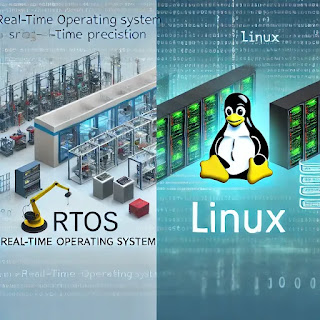
    5 Faedah RTOS Linux Kernel - Apa Itu Sistem Operasi Masa Nyata (RTOS) di Malaysia

    Di VIENNA dimana selepas 20 Tahun, Real-Time Linux Akhirnya Masuk ke Dalam Kernel Utama Linux. Itulah pada yang memahami bagaimana berkemban...